Social media scheduler for Facebook Pages and Threads
Let AI draft your posts.
You pick what goes public.
Pickpost writes, tailors and plans posts with you: in the app with its assistant, or from Claude, Cursor and ChatGPT. Scheduling, posting and deleting always wait for your approval.
Connect Claude Code, Cursor or any MCP client.
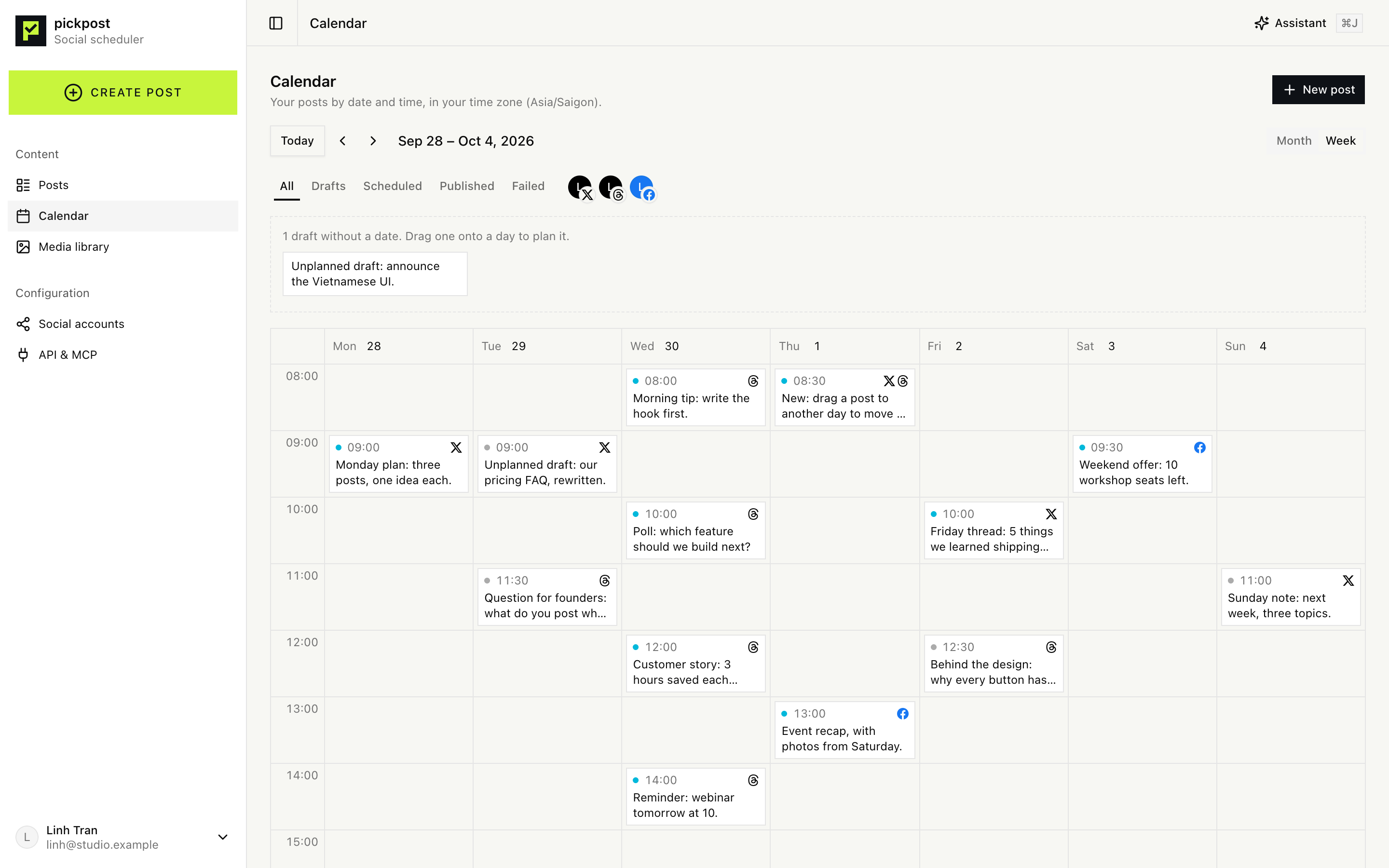
Question for founders: what do you post when there is no news?
Threads · Tue, Sep 29, 11:30
Runs only if you approve.
From idea to scheduled in three steps
- 01
Connect your accounts
Sign in to your Facebook Page or Threads. Tokens are encrypted and never leave the server.
- 02
Draft with AI
Ask the built-in assistant, or your own AI tool over MCP. It writes the original and a version for each network, within each network's limits.
- 03
Approve and schedule
Every public step becomes a card you approve. Then Pickpost publishes on time, once.
Composer
One post, a version for each network
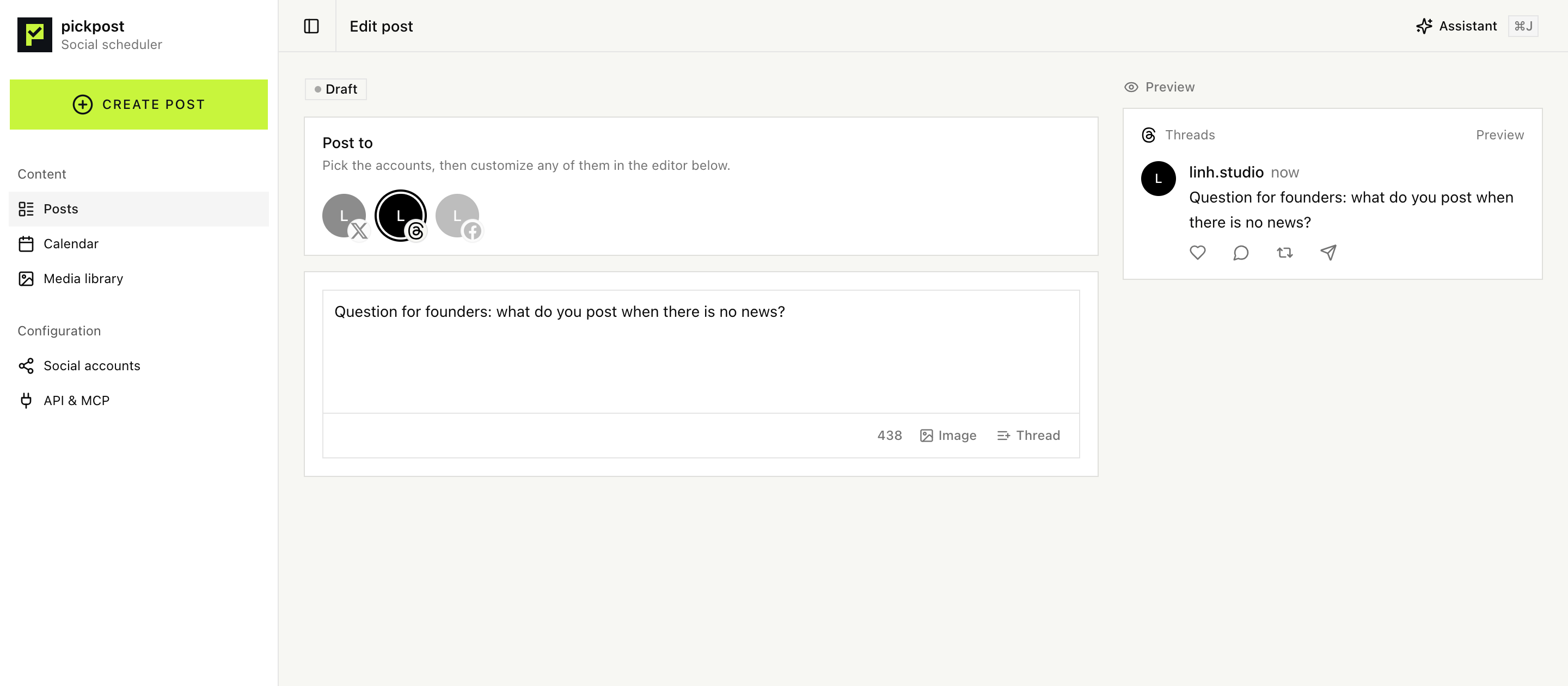
Write once, then adjust the Threads and Facebook versions side by side. Character and media limits are checked while you type, with a preview of how each post will look.
- Live limits for each network
- Previews for Threads and Facebook
- Multi-post threads on Threads
- Images cleaned of EXIF and GPS data
Calendar
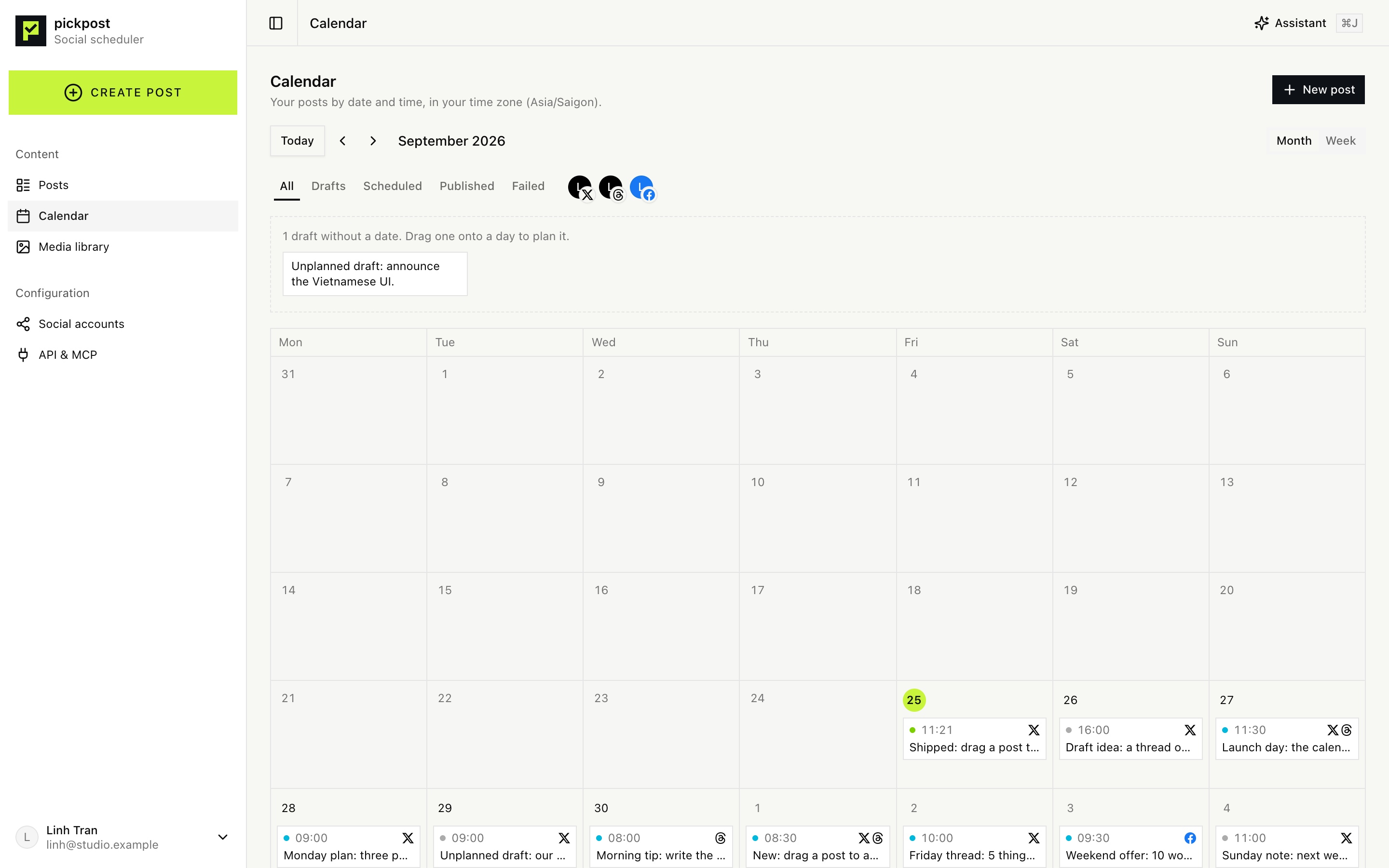
Plan the week on a calendar
See every post by day or by hour, in your time zone. Drag a post to another slot to move it; Pickpost checks it again for the new time.
- Month and week views
- Drag to reschedule, future slots only
- Drafts without a date, ready to place
- Works on your phone
AI & MCP
AI that asks before it posts
The assistant in Pickpost sees what you are editing and drafts, rewrites and checks posts right away. Your own tools connect over MCP with a sign-in and the permissions you choose. Anything public stops at a card only you can approve.
- An assistant that sees the post you have open
- Claude Code, Cursor and other MCP clients sign in with OAuth
- Permissions you choose: read, draft, ask to publish
- Every schedule, post and delete waits for your click
Connect Claude Code
claude mcp add --transport http pickpost https://app.pickpost.org/mcpAllow Claude Code to use Pickpost?
It will be able to:
- Read your posts, accounts and media
- Create and edit drafts
- Ask to schedule, publish or delete (you approve each one)
Question for founders: what do you post when there is no news?
Threads · Tue, Sep 29, 11:30
Runs only if you approve.
Built so nothing slips out
Encrypted tokens
Social tokens are stored with AES-256-GCM and are never sent to your browser.
Your data kept apart
Every query is checked twice: by the app, and by row-level security in Postgres.
Never posts twice
If a call to a network is cut off, the post is flagged for you instead of being sent again.
Private media
Images live in a private bucket, reach the networks through short-lived links and lose their location data.
Free while we launch
Pickpost is free during early access: Facebook Pages and Threads, no card needed. Pro and Max, with every network and more of everything, are coming soon. Prices in USD.
Free
RecommendedTry Pickpost on Facebook and Threads.
$0forever
- Facebook Pages and Threads
- 3 social accounts
- 30 scheduled posts a month
- 30 assistant credits a month
- MCP server, REST API and webhooks
- 500 MB of media
Pro
Coming soonFor creators and small businesses.
$29/ month
or $290 a year, 2 months free
- Every network we support
- 10 social accounts
- Unlimited scheduled posts
- 300 posts a month on X
- 500 assistant credits a month
- MCP server, REST API and webhooks
- 25 GB of media
Max
Coming soonFor teams and agencies.
$99/ month
or $990 a year, 2 months free
- Everything in Pro
- 50 social accounts
- 5 team members, with roles
- 2,000 posts a month on X
- 2,500 assistant credits a month
- 100 GB of media
- Paid plans are not on sale yet, so nothing is charged. When they are, each workspace chooses its own plan in the app; none moves to a paid plan unless you pick it.
- An assistant message costs 1 credit on Free and 3 on Pro and Max, where it runs on a larger model. MCP clients use their own model and cost no credits.
- On X (Pro and Max), a post with a link counts as 10, and each post of a thread counts.
Questions
Which social networks does Pickpost support?
Facebook Pages and Threads today, with text, images and threads where the network allows them. X and more networks come with the Pro plan, coming soon.
Can the AI post without me?
No. Drafting and editing run right away, but scheduling, posting now and deleting always become an approval card. Nothing happens until you click Approve.
Which AI tools can I connect?
Any MCP client. Claude Code signs in with OAuth and shows you the permissions it asks for. Tools without sign-in can use a personal API token.
Is my data safe?
Social tokens are encrypted, each account's data is isolated in the database, and images are stored privately. You can delete your account and everything in it.
Do I need to install anything?
No. Pickpost runs in your browser. To use it from Claude Code or Cursor, add one URL to your tool.
Is there an API?
Yes. The same actions are available over a REST API and MCP, described in the developer docs.
How much does it cost?
Nothing for now. Pickpost is free during early access, within the limits of the Free plan. Pro and Max will add every network and more of everything; they are not on sale yet, and no workspace moves to a paid plan unless you choose it.
Plan next week in one sitting.
Connect your accounts, let the assistant draft, approve what you like.